Sync Google Tasks with Apple Reminders on your Mac
ReminderBridge connects selected lists with scheduled or manual synchronization that runs on your Mac. No browser tab or recurring subscription required.


What Our Users Say
See how ReminderBridge helps Mac users sync Google Tasks and Apple Reminders - without subscriptions or browser tabs.
Google Tasks for Desktop Native on macOS
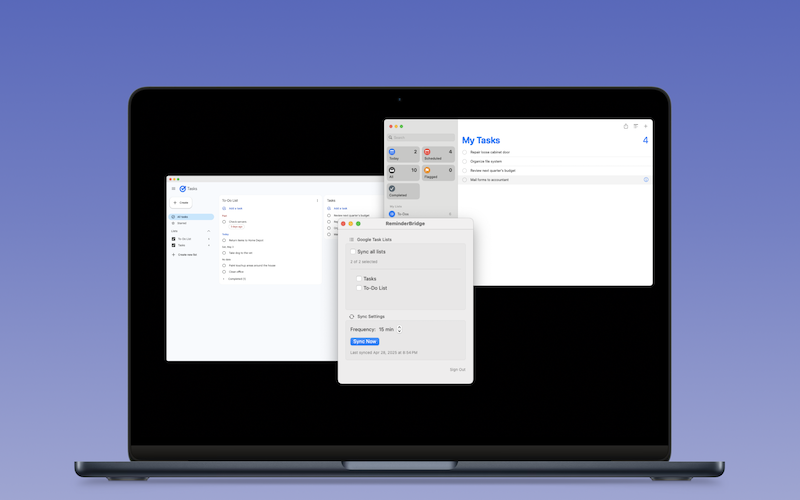
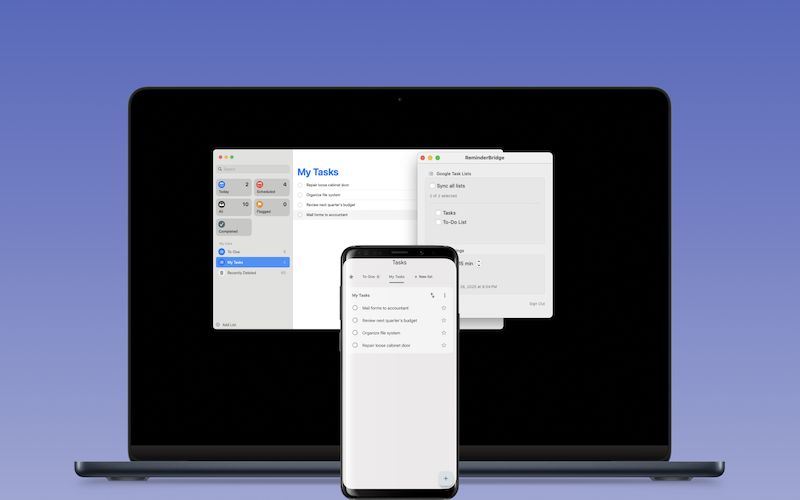
Work with connected Google Tasks through Apple Reminders instead of keeping a Google Tasks browser tab open. ReminderBridge synchronizes supported task information on the schedule you choose or when you run a manual sync. For the complete workflow, read the guide to using Google Tasks on a Mac.
- Two-way sync between Google Tasks and Apple Reminders
- Full control from the macOS menu bar
App Features
Start using ReminderBridge to keep supported task information connected on a schedule or with Sync Now, without adding another subscription.
Two-Way Sync
Supported task changes move between Google Tasks and Apple Reminders during scheduled or manual syncs.
Background Sync
Run synchronization in the background at a selected interval from 15 to 60 minutes, or start a manual sync.
Choose Which Lists to Sync
Full control. Only sync the lists you want across your devices.
Google Tasks That Feel Native on Apple
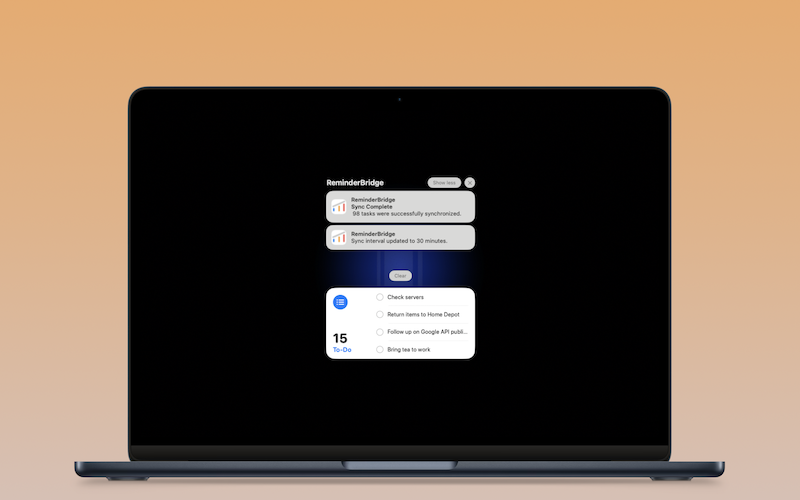
Work with synchronized tasks in Apple Reminders on the Mac. Other Apple devices can receive Reminders changes through Apple's own services when they are configured separately.
Privacy-First Design
Synchronization runs on your Mac. Aeriform does not operate a separate synchronization server.
Menu Bar App
Trigger sync, view sync status, create reminders from Apple Mail, and more — right from the macOS menu bar.
Priority Sync
Apple Reminders priority is represented in Google Tasks through an asterisk in the task title.
Connect Apple Reminders With Google-Powered Workflows
Tasks created by workflows such as Gemini, Google Workspace, n8n, or Zapier can appear through Google Tasks. These are indirect workflows, not direct ReminderBridge integrations.
Built for Mac + Android Users
Use Apple Reminders on your Mac and access the connected tasks through Google's Android app. ReminderBridge remains a Mac app. See the real Mac and Android workflow.
Native macOS Experience
ReminderBridge uses Apple Reminders on your Mac, so connected tasks do not require a separate Google Tasks browser tab.
FAQs
Learn how ReminderBridge synchronizes supported Google Tasks and Apple Reminders information, what the Mac app requires, and which limitations affect the workflow.
ReminderBridge requires macOS 13.5 or later.
Yes. Supported task changes can synchronize in either direction during a scheduled or manual sync. Due times, alarms, recurrence rules, and subtasks do not synchronize.
ReminderBridge stores synchronization data, OAuth credentials, identifiers, and logs locally on your Mac. Aeriform does not operate a synchronization server or collect your task data. The product website uses Google Analytics.
No. ReminderBridge is a one-time Mac App Store purchase with no recurring subscription. Price varies by country, and refunds are controlled by Apple.
Yes. We’re committed to expanding ReminderBridge over time while keeping the core experience focused, fast, and private.
You can access connected tasks through Google's Android app after ReminderBridge synchronizes them on your Mac. ReminderBridge does not run on Android.
The originating platform controls recurrence. ReminderBridge synchronizes the core task information, but recurring tasks should be edited at their source for the most reliable behavior.
Yes. ReminderBridge uses your Google account to access your task lists and sync them with Apple Reminders.
ReminderBridge normalizes date and time values and uses the latest whole-task change. Conflict resolution is not field-by-field.
You can set it to sync every 15–60 minutes or sync manually. It runs quietly in the background.
Not at this time. We’re exploring support for subtasks while maintaining reliable sync behavior across platforms.
Install ReminderBridge on a supported Mac, authorize Google Tasks and Apple Reminders, choose the lists to connect, and select a synchronization interval. The complete synchronization explainer covers the workflow and limitations.
No. ReminderBridge runs on a Mac and does not operate a separate synchronization server. The Mac must be available for scheduled or manual synchronization attempts.
ReminderBridge is a native macOS bridge that lets you work with connected Google Tasks through Apple Reminders without keeping a Google Tasks browser tab open. It is not a replacement interface for every Google Tasks feature. See the Google Tasks for Mac guide.
If an item appears as a regular Google Task, ReminderBridge can synchronize its supported task information through a connected list. ReminderBridge does not integrate directly with Gmail.
Built for macOS.
Use ReminderBridge to sync your Apple Reminders with Google Tasks. Stay organized across devices — no subscriptions, no clutter.